








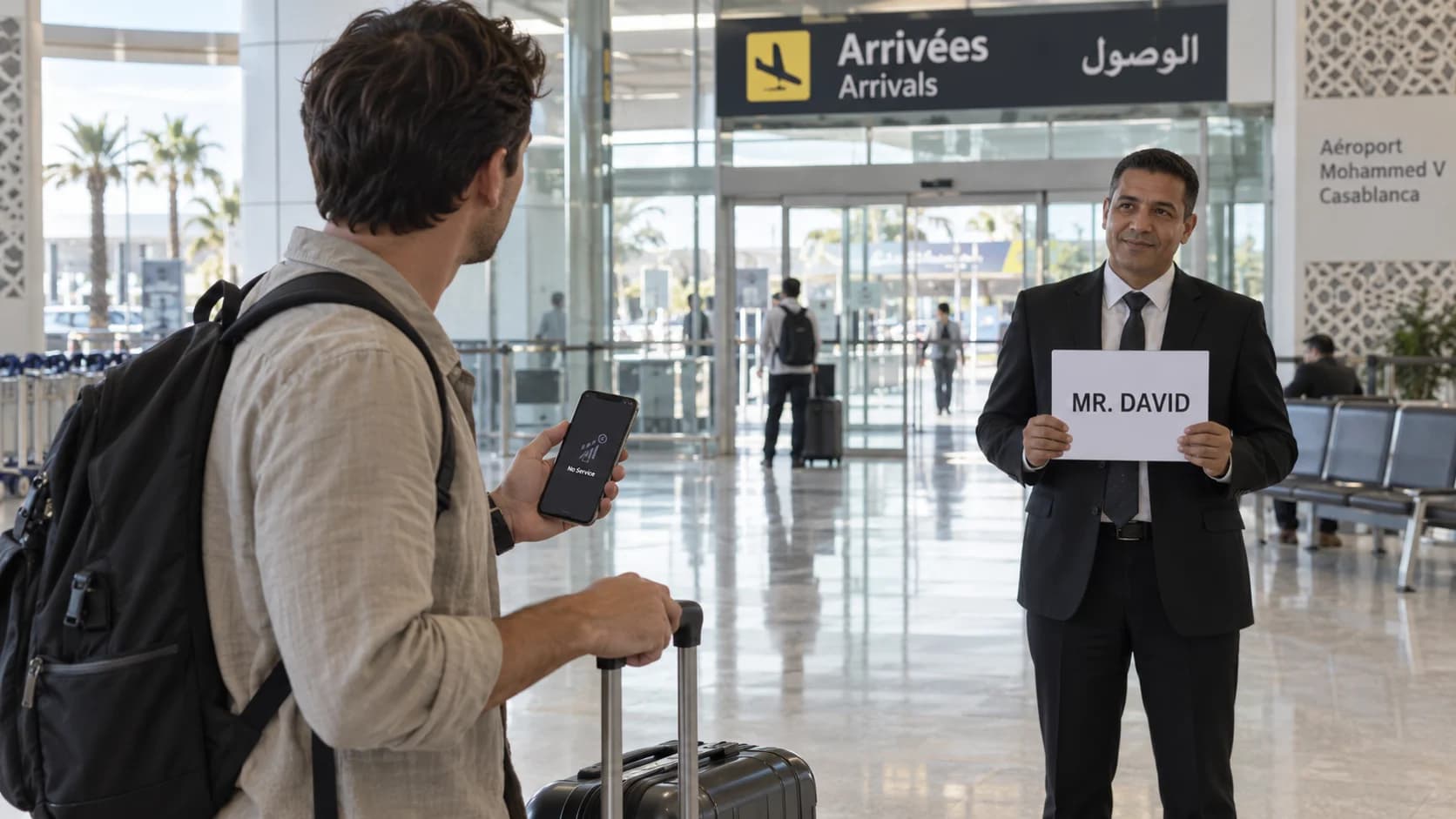
Landing at Casablanca Mohammed V Airport (CMN) without working mobile data can feel stressful, especially when a private driver is supposed to be waiting for you. Your foreign SIM may not connect immediately, roaming may be disabled, or your phone may simply take time to register on a Moroccan network.
Fortunately, a pre-booked airport transfer should not depend entirely on having WhatsApp or mobile data the moment you land.
If you need to find Casablanca Airport driver without mobile data, the safest approach is to prepare your confirmation, passenger name, meeting instructions and transfer contact details before boarding your flight. Once you reach the public arrivals area, follow the meeting instructions you saved rather than wandering around the airport looking for internet access.
This guide explains exactly what to prepare and what to do if your phone has no connection after arriving at CMN.
Table of Contents
- Finding your driver without mobile data
- Save your booking confirmation before the flight
- Know the passenger name used for meet-and-greet
- Where to look after reaching the public arrivals area
- Using airport Wi-Fi when your SIM does not work
- What to do before leaving the agreed meeting point
- Group leaders and shared contact information
- What details should be available offline
- How to handle a phone battery problem
- Arrival communication checklist
How Do You Find Your Driver Without Mobile Data?
You can usually find a pre-booked Casablanca Airport driver without mobile data if you have saved your meeting instructions before flying.
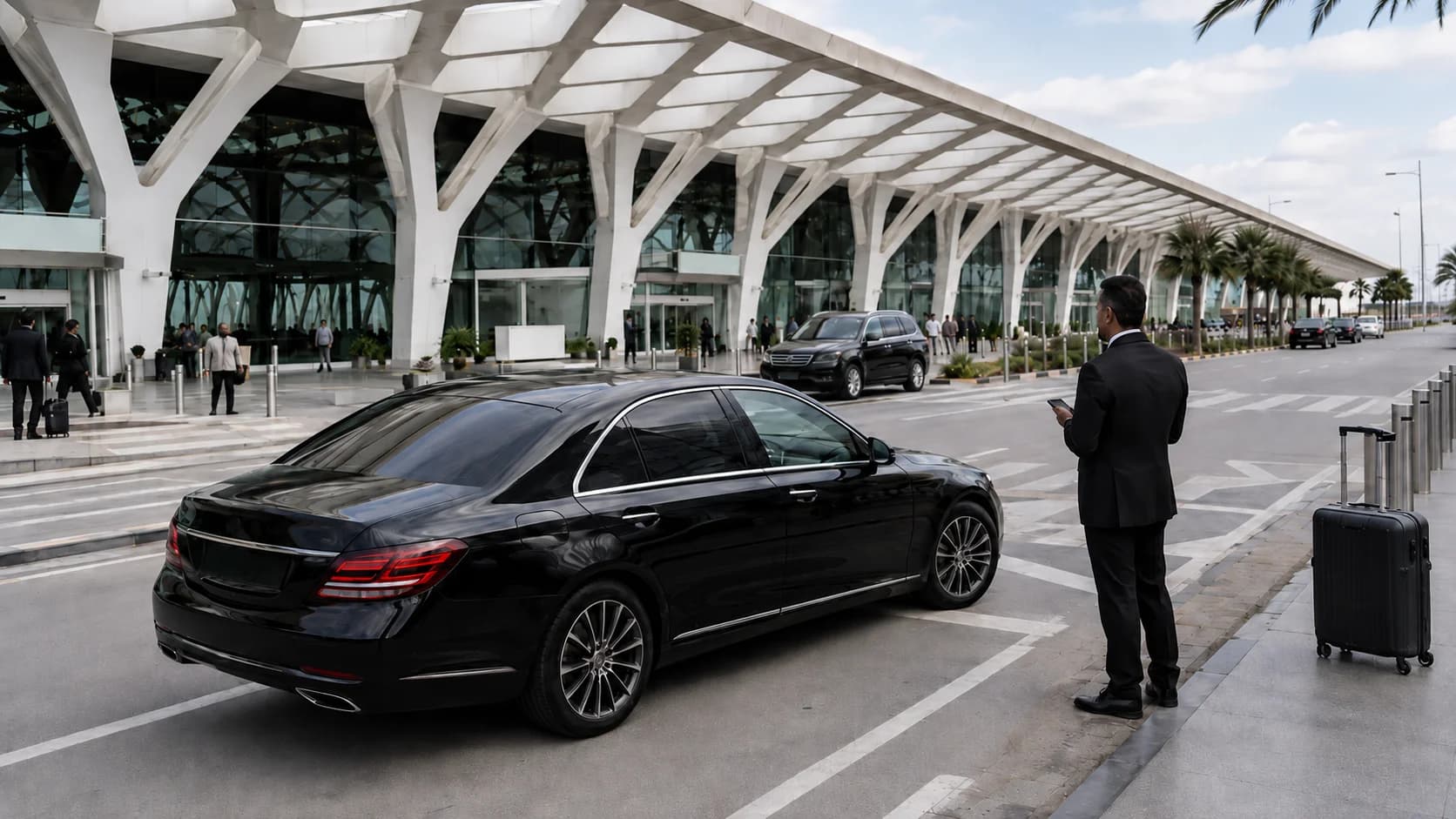
After immigration and baggage collection, continue toward the public arrivals area and follow the meeting information in your booking confirmation. Casablanca Mohammed V Airport has arrival exits for Terminal 1 and Terminal 2, and ONDA, Morocco's airport authority, states that meeting points are displayed in both terminals.
Do not immediately leave the agreed meeting area because WhatsApp is not working. First check the passenger name on your reservation, look for the agreed meet-and-greet identification and give the driver reasonable time to locate you.
For the easiest arrival, keep your confirmation available as a screenshot rather than relying on an email, website or messaging app that requires internet access.
Save Your Booking Confirmation Before the Flight
The most important preparation happens before you arrive in Morocco.
Open your transfer confirmation while you still have reliable internet and take screenshots of the important information. Do not assume you will be able to reopen an email attachment, booking portal or WhatsApp conversation after landing.
For a pre-booked Casablanca airport transfer, your offline information should clearly show the passenger name, arrival date, flight details, destination, transfer provider's contact information and any meeting instructions supplied with the reservation.
A screenshot is generally more useful than leaving the information inside an app because screenshots remain accessible even when the phone is offline.
If you prefer an additional backup, write the essential information on paper or keep a printed copy of the booking confirmation in your hand luggage.
Know the Passenger Name Used for Meet-and-Greet

The booking name matters more than many passengers expect.
If the airport transfer was booked under "Michael Brown," but another family member reaches the arrivals hall first and starts searching for the driver, the driver may still be looking specifically for Michael Brown.
Before travelling, everyone in the group should therefore know exactly which passenger name was used for the booking.
The same principle applies to spelling. If a company name, travel-agent name or different surname was used when making the reservation, save that information as well.
When meet-and-greet identification is part of your confirmed pickup instructions, look for the passenger or booking name stated in your confirmation rather than expecting the driver to recognize you visually.
Where Should You Look After Reaching the Public Arrivals Area?
First complete passport control, collect your baggage and pass through the required arrival procedures. Then continue toward the public arrivals hall.
According to ONDA's current Casablanca Mohammed V Airport information, there are public arrival exits associated with Terminal 1 and Terminal 2, and meeting points are displayed in both terminals. The public arrivals area also includes an information desk, telecom operators, exchange services, cafés and other passenger facilities.
Your own transfer confirmation should still take priority when identifying the CMN airport driver meeting point.
Airport arrangements can change because of construction, passenger-flow management, security procedures or temporary operational requirements. For that reason, it is better to follow the instructions sent for your particular pickup than to rely on an old blog post telling every passenger to stand beside one permanent door, café or numbered exit.
Using Airport Wi-Fi When Your SIM Does Not Work
If your foreign SIM does not connect, Wi-Fi can provide a useful backup.
ONDA currently lists Wi-Fi among the services available at Casablanca Mohammed V Airport. The airport authority has also previously documented Wi-Fi coverage at Mohammed V Airport, including public areas.
That makes airport Wi-Fi useful when dealing with a no SIM Casablanca Airport transfer situation. Once connected, you may be able to reopen WhatsApp, check an updated pickup message or contact your transfer provider.
However, Wi-Fi should be treated as a backup rather than the foundation of your arrival plan. Login procedures, coverage and network performance can change, and crowded airports can occasionally affect connectivity.
Save your meeting instructions offline even if you expect to use Casablanca airport WiFi for driver pickup.
What Should You Do Before Leaving the Agreed Meeting Point?
One of the easiest ways to turn a small communication problem into a larger one is to start walking around the airport immediately.
If you reach the meeting area but cannot see your driver, remain near the agreed point first.
Check the name used on the booking. Re-read the saved meeting instructions. Look carefully for the identification described in your confirmation. If you have Wi-Fi, check for messages that may have arrived while you were in immigration or baggage reclaim.
Remember that you and the driver may both be trying to find each other.
Moving from the arrivals hall to another floor, car park, taxi area or outside roadway without communicating can make the pickup harder.
If you still cannot locate the driver, use the contact method supplied with your booking or ask at an airport information desk for assistance with orienting yourself inside the terminal. ONDA confirms that information desks are available in the public arrivals area.
Group Leaders and Shared Contact Information
Groups should choose one lead passenger before travelling.
That person's name and phone number should be the primary contact associated with the transfer booking. Everyone else should know who the lead passenger is.
This is particularly helpful when booking a larger minivan transfer in Casablanca, because passengers may become separated during immigration, baggage collection or airport procedures.
It is also useful for every adult in the group to have a screenshot of the pickup information. That way, the group does not lose all of its transfer details if the lead passenger's phone is unavailable.
For couples or smaller parties travelling with light luggage, a pre-booked sedan transfer in Casablanca can follow exactly the same communication plan.
What Details Should Be Available Offline?
Your offline transfer record should contain the passenger name, booking reference if one was issued, flight number, scheduled arrival date, destination, transfer-company name, meeting instructions and the relevant contact number.
Also save the hotel, riad or accommodation address.
Do not rely only on a property name. Hotels with similar names can exist, and a complete address gives both you and the driver a clearer destination reference.
If your flight changes before departure, update the transfer team while you still have connectivity rather than assuming the original booking information automatically reflects the new flight.
How to Handle a Phone Battery Problem
No mobile data is inconvenient. A dead phone can be more difficult because even your offline screenshots become unavailable.
Before landing, switch off unnecessary streaming, videos and other battery-intensive activity. Reduce screen brightness and enable your phone's battery-saving mode if the charge is becoming low.
Keep your transfer screenshot easy to find so you do not spend several minutes searching through apps at the airport.
Travellers who frequently arrive after long international flights may also want to carry a charged power bank that complies with their airline's cabin-baggage rules.
A paper copy of the booking details remains the simplest emergency backup because it requires neither battery nor internet access.
Arrival Communication Checklist
Before boarding your flight to Casablanca, make sure you have saved the booking confirmation, passenger name, flight number, accommodation address, meeting instructions and transfer contact information. Take screenshots that open without internet, share the essential details with another adult when travelling as a group, and make sure your phone has enough battery for the arrival.
After landing, complete the normal airport procedures before searching for the driver. Go to the meeting area described in your confirmation and remain there while checking for the agreed meet-and-greet identification.
If your SIM has no service, try the airport Wi-Fi. If connectivity still fails, use your offline information rather than immediately leaving the arrivals area.
That simple preparation makes an airport meet and greet Casablanca pickup much easier even when mobile connectivity does not cooperate.
Frequently Asked Questions
Can I find my Casablanca Airport driver without mobile data?
Yes. Save your transfer confirmation and meeting instructions before flying, then follow them after reaching the public arrivals area. Mobile data is helpful for updates but should not be your only way of knowing where to meet.
Should I save my transfer confirmation before flying?
Yes. Take screenshots that can be opened offline. Keep the passenger name, flight details, destination, meeting instructions and contact information available without requiring internet access.
How will I recognize the driver at CMN?
Follow the identification instructions supplied with your particular transfer booking. Depending on the confirmed service, meet-and-greet arrangements may use the passenger or booking name. Do not rely on assumptions if your confirmation gives different instructions.
Can I use airport Wi-Fi to contact the transfer team?
Casablanca Mohammed V Airport currently lists Wi-Fi among its passenger services. It can therefore be useful for reconnecting to WhatsApp or another communication service, although availability and connection procedures may change.
What if my foreign SIM does not work in Morocco?
Use your saved offline information first. You can then try airport Wi-Fi or, once in the public arrivals area, seek help orienting yourself from the airport information desk. Telecom operators are also listed among the services in the public arrivals hall.
Should I leave the arrivals area if I cannot see the driver?
Not immediately. Stay near the agreed meeting area while checking the booking name and your saved instructions. Walking to another part of the airport without communicating may make it harder for the driver and passenger to find each other.
What information should I keep available offline?
Keep the passenger name, booking reference, flight number, meeting instructions, transfer contact details and destination address accessible without internet.
Who should be the main contact for a group pickup?
Choose one lead passenger and use that person's reachable contact details for the reservation. Other adults should also keep copies of the pickup information.
What if my phone battery is almost empty after the flight?
Activate battery-saving mode, reduce screen use and keep your transfer screenshot easily accessible. A printed copy of the booking details is a useful second backup.
Can the driver still meet me if I cannot receive WhatsApp messages?
A properly prepared meet-and-greet does not require you to exchange messages every minute. Follow the confirmed meeting instructions and remain at the agreed area. WhatsApp can help with updates, but offline booking details provide an important fallback.
Arrive at CMN With a Backup Plan
A smooth Casablanca Airport pickup starts before your plane leaves the ground.
Save your MarHire Taxi Casablanca confirmation, passenger name, destination and meeting instructions offline before travelling. Keep enough phone battery for arrival and make sure other members of your group understand the pickup plan.
Then, even if your foreign SIM refuses to connect after landing, your transfer does not have to begin with a search for mobile data.
Pre-book your Casablanca airport transfer and arrive with the meeting information already saved for an easier CMN pickup.